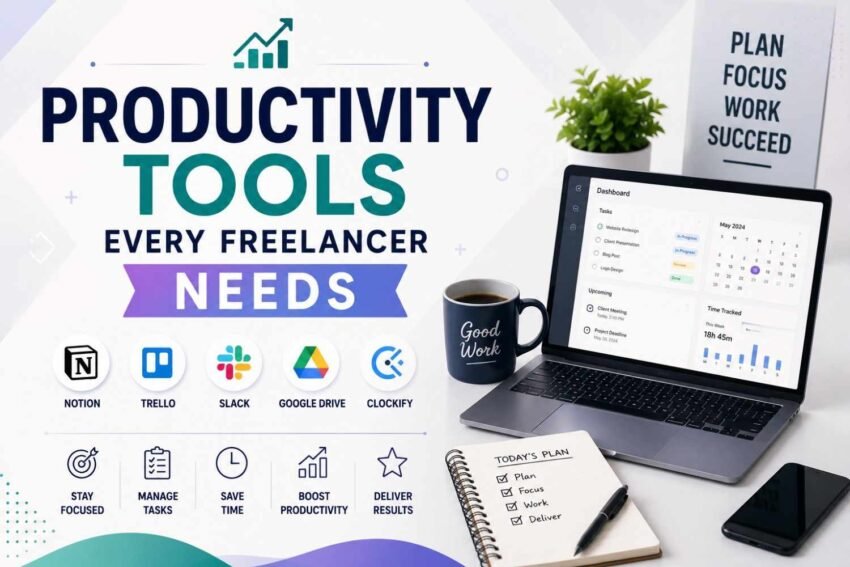
Freelancing gives you flexibility, sort of independence, and a real chance to work with clients from around the world. Still, with that freedom comes a particular bundle of difficulties. Different from classic employees, freelancers end up handling the whole deal, like looking for clients, running projects, tracking time, sending invoices, organizing files, even making sure deadlines actually happen. If the right systems aren’t in place, it becomes pretty easy to feel overloaded by paperwork, forget key moments, or lose those valuable billable hours that you thought were safe. And since client expectations keep rising, staying tidy, and productive, has basically become more important than ever.
Luckly, modern productivity tools changed the way freelancers operate. Today’s digital tools help people automate the repeat stuff, improve how you talk with others, manage projects, and work alongside clients, plus keep an eye on finances, and help you stay on track during the workday. Instead of balancing a bunch of responsibilities the hard way, freelancers can pick useful software that saves time, lowers stress, and supports better outcomes. Whether you are a writer, designer, developer, marketer, consultant, or virtual assistant, choosing the right productivity tools can meaningfully upgrade your workflow and business momentum. In this guide, we’ll dive into the Productivity Tools Every Freelancer Needs, explain how each group boosts efficiency, and share practical ideas for building a smoother freelance business.
Why Productivity Tools Matter for Freelancers
Freelancers often work solo, but still juggle multiple clients, deadlines, invoices, meetings, and whole projects all at once. Without a sensible workflow , quite a bit of valuable time can quietly disappear when you keep hopping between tasks, hunting for documents, or doing the same kind of paperwork over and over again.
The right Productivity Software helps smooth out the day to day routine, so freelancers can lean back into delivering stronger results and expanding their business, rather than getting stuck on unnecessary manual chores and admin loops.
Benefits of Using Productivity Tools
- Improve time management.
- Increase daily efficiency.
- Reduce repetitive work.
- Strengthen client communication.
- Organize business operations.
- Support long-term growth.
Investing in the right digital tools is an investment in your freelance career.
1. Project Management Tools
Managing lots of projects without a system can be really tough. You might miss deadlines. Get stressed out. Project Management tools are a help. They let you organize tasks keep an eye on progress and talk to clients clearly. These tools let you make boards for your projects set priorities and track what is going on. You can see everything in one place. Whether you have one client or many Project Management tools help you keep track of what you’re doing.
Key Benefits
- You can put all your client projects in one place.
- You can track deadlines and important milestones.
- You can focus on the important tasks.
- You can avoid missing deadlines.
Best Practices
- Make a space for each client.
- Update what you are working on regularly.
- Break projects into smaller tasks.
- Look at your project timeline every week.
Being organized helps you get work done reduces confusion and helps you do great work all the time.
2. Time Tracking Software
Lots of freelancers charge by the hour. So tracking time is crucial for billing and seeing how productive you are. Time tracking tools automatically record your working hours. This helps you see where your time is going and find ways to get better.
Key Benefits
- You can track your hours accurately.
- You can see how productive you are every day.
- You can make a schedule.
- You can make reports for clients.
Best Practices
- Track every time you work.
- Look at your productivity report every week.
- Separate tasks that you can bill for from those you cannot.
- See how time you spend on tasks that happen often.
Knowing how you spend your time helps you get better and bill clients fairly.
3. Cloud Storage Solutions
Freelancers often handle documents and files. Losing them can be bad for your work and reputation. Cloud Storage platforms let you get to your files from any device. They also make it easy to work with others and back up your files.
Key Benefits
- You can get to your files from anywhere.
- You can keep your documents safe.
- You can share files with clients easily.
- You can back up your work automatically.
Best Practices
- Put your files in folders for each client.
- Back up your files automatically.
- Use passwords.
- Get rid of files regularly.
Taking care of your files helps you work smoothly and collaborate with others.
4. Communication and Collaboration Tools
Talking to clients is one of the important things you do as a freelancer. If you do not respond quickly it can hurt your relationship with clients and the projects you work on. Collaboration Tools let you message have video calls, share screens and work on documents together. This helps you talk to clients better.
Key Benefits
- You can talk to clients faster.
- You can work with others more easily.
- You can share files easily.
- You can have project discussions.
Best Practices
- Schedule regular updates with clients.
- Keep your messages organized.
- Respond to clients quickly and professionally.
- Make sure you understand what the project is about.
Talking to clients clearly helps you build trust and have long-term relationships with them.
5. Task Management Applications
If you do not have a system to manage your tasks you can get overwhelmed quickly. Task Management tools help you organize what you need to do track progress and stay productive all week.
Key Benefits
- You can organize what you need to do every day.
- You can focus on the important tasks.
- You can track deadlines.
- You can avoid forgetting tasks.
Best Practices
- Make a list of what you need to do every day.
- Set deadlines.
- Look at what you have done
- Update your priorities when needed.
Organizing your tasks helps you focus and reduces stress.
6. Note-Taking and Knowledge Management Tools
As a freelancer you often go to meetings think of ideas do research and write down what clients need. Digital note-taking platforms help you organize what you learn and make it easy to find later.
Key Benefits
- You can store project notes safely.
- You can organize what you learned in meetings.
- You can save what you researched efficiently.
- You can build a database of what you know.
Best Practices
- Make a notebook for each client.
- Label important information.
- Keep your notes updated.
- Put away projects that are done.
Having your information organized helps you make decisions and avoid searching for things you already know.
7. Accounting and Invoicing Software
Managing your money manually can lead to mistakes and delayed payments. Accounting software makes it easy to bill clients, track expenses, prepare taxes and look at reports.
Key Benefits
- You can make invoices.
- You can track what you spend on your business.
- You can see when clients pay you.
- You can make reports.
Best Practices
- Bill clients quickly.
- Write down every business expense.
- Look at your cash flow every month.
- Keep your records safe.
8. Password Management Tools
As a freelancer you often have accounts, websites and software to keep track of. Password managers help you keep your accounts safe and make it easy to log in.
Key Benefits
- You can store your passwords safely.
- You can generate passwords.
- You can protect your accounts better.
- You can save time logging in.
Best Practices
- Use two-factor authentication.
- Update your passwords regularly.
- Do not use the password twice.
- Keep accounts safe.
9. Automation Tools
Automation helps you stop doing tasks so you can focus on creative and important work. Automation platforms connect tools to make your workflow smoother.
Key Benefits
- You can automate tasks that you do often.
- You can reduce the work you do by hand.
- You can make your workflow more consistent.
- You can save time.
Best Practices
- Automate tasks that happen regularly.
- Look at your automation regularly.
- Test how things work together carefully.
- See how well things are working.
10. Focus and Distraction Management Apps
It can be hard to stay focused when you work from home because of notifications, emails and social media. Focus applications help you stay productive by reducing distractions.
Key Benefits
- You can concentrate better.
- You can reduce distractions.
- You can work for periods without a break.
- You can develop work habits.
Best Practices
- Schedule time to focus.
- Turn off notifications that you do not need.
- Take breaks on purpose.
- Look at how productive you’re every day.
11. AI Productivity Tools
Artificial Intelligence is changing how freelancers work by helping with writing thinking of ideas, researching, scheduling and making summaries. AI does not replace freelancers. It helps them do repetitive tasks faster and focus on creative work.
Key Benefits
- You can get ideas for content.
- You can research faster.
- You can automate writing tasks.
- You can get work done.
Best Practices
- Check what AI generates.
- Add your expertise.
- Be original.
- Use AI, as a tool to help you.
12. File Sharing and Client Approval Platforms
Getting feedback from clients through email can be. Slow. Dedicated file-sharing platforms make it easier to get feedback, approve work and manage versions.
Key Benefits
- You can get feedback faster.
- You can keep track of changes.
- You can share files safely.
- You can work with others better.
- Best Practices
- Label different versions of documents clearly.
- Keep your files organized.
- Ask for feedback in a way.
- Put away files that are done.
Why It Matters
- Getting feedback quickly reduces changes and makes clients happier.
- Common Productivity Mistakes Freelancers Should Avoid
- experienced freelancers waste time because of bad habits.
Mistakes to Avoid
- Using many tools that do not work together.
- Not tracking time.
- Not organizing files.
- Delaying invoices.
- Trying to do many things at once.
- Not backing up files regularly.
Avoiding these mistakes creates a smoother and more professional freelance workflow.
How to Build the Perfect Freelance Productivity System
Instead of installing every available application, freelancers should just build a kinda simple ecosystem where tools work together efficiently, not as a pile. When project management, time tracking, communication, cloud storage, automation, accounting, and AI assistance come together in one flow, it becomes way more streamlined and it actually supports both productivity AND business growth in a real day to day sense.
Keep checking your workflow, remove anything that feels unnecessary , then automate the repetitive little things. That way you get continuous improvement, but also less daily stress, like almost automatically.
Conclusion
Picking the right productivity tools every freelancer needs can seriously change the way independent professionals run their businesses. From project management and time tracking to cloud storage, business automation, task management, AI productivity, and secure communication platforms, these tools help freelancers stay organized, hit deadlines, strengthen client relationships, and boost profitability. Instead of working harder, successful freelancers tend to work smarter by putting efficient systems in place that cut down repetitive work, and they maximize productivity without even noticing the grind as much. And as the freelance industry keeps growing in 2026 and beyond, investing in dependable productivity tools will stay one of the smartest moves for building a successful, scalable, sustainable freelance business.
Frequently Asked Questions
1. Why do freelancers need productivity tools?
Productivity tools help freelancers organize projects, manage time, communicate with clients, automate repetitive tasks, track finances, and improve overall work efficiency.
2. Which productivity tool is most important for freelancers?
There isn’t a single best tool, but Project Management and Time Tracking software are among the most essential because they help organize workloads and ensure accurate billing.
3. How can automation improve freelance productivity?
Business Automation reduces repetitive manual tasks such as scheduling, file organization, notifications, and workflow management, allowing freelancers to focus on high-value work.
4. Are AI productivity tools useful for freelancers?
Yes. AI tools assist with research, brainstorming, writing, content optimization, scheduling, and workflow improvement, helping freelancers complete tasks more efficiently while maintaining quality.
5. How can freelancers stay productive while working remotely?
Creating a structured daily routine, using productivity software, tracking time, minimizing distractions, organizing files, and maintaining clear communication with clients are effective ways to improve remote work productivity.